

Scam patterns
Hardware-wallet tampering
Check the delivery, setup instructions and device authentication separately. A convincing box cannot establish who controls the keys.
Research articles and reference entries are published in English. Navigation is available in seven languages.
In this article
Start with the delivery, not a deposit
A hardware wallet arrives through a chain of manufacturers, distributors, carriers and possibly previous owners. The question is not simply whether the box looks professional. Ask whether the device, its software and the instructions lead to keys that only you created and control.
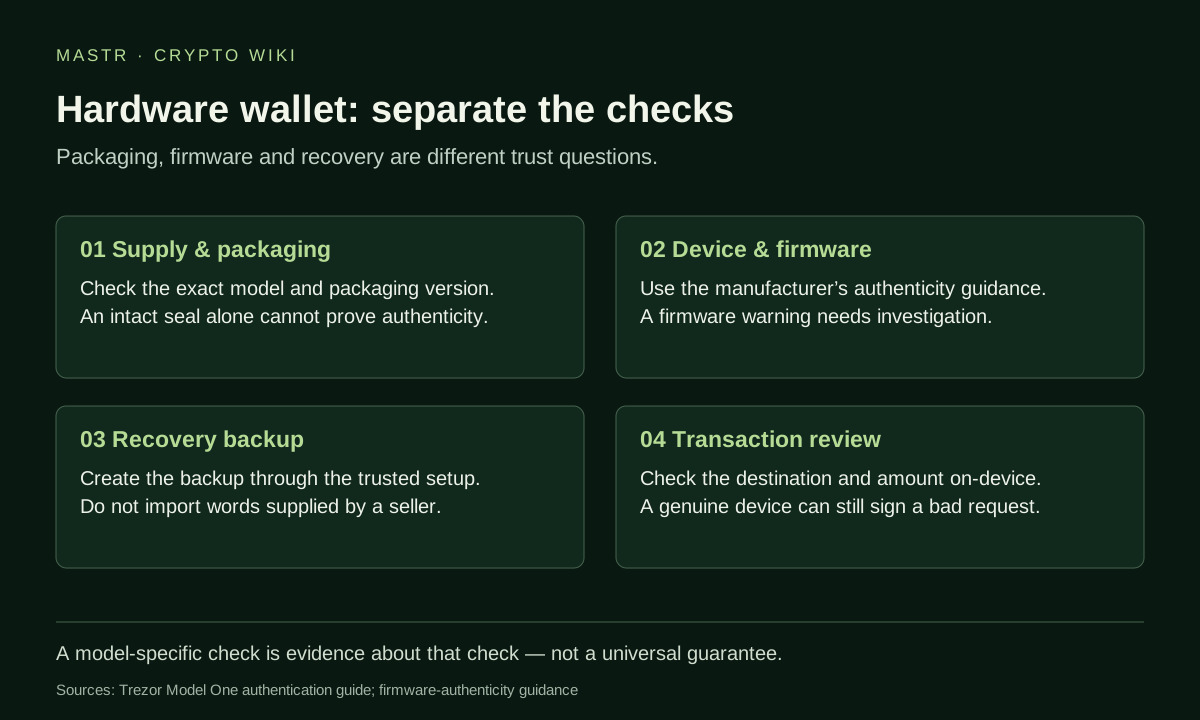
Compare the exact model and packaging revision with the manufacturer’s own guidance. For the Trezor Model One, the official guide documents changes in packaging and seals over time. A different-looking box is therefore something to investigate, not enough by itself to declare a device fake. Conversely, an intact sticker is only one observation in a wider check. Trezor’s model-specific guide supplies the reference.
Treat supplied recovery words as a stop signal
A new wallet should not require you to use a secret phrase already printed or handwritten by somebody else. Anyone who knows that phrase can potentially recreate its keys. A PIN on the device does not make a previously shared recovery phrase private.
Reach the manufacturer’s setup instructions independently. Do not let a replacement insert, unsolicited support message or unfamiliar QR code decide which software you install. If something does not match the official process, pause before funding the wallet and contact the manufacturer through its verified support channel.
Device checks answer a different question from packaging
The authentication process depends on the product. The Model One guide describes firmware installation during initial setup and signature checks by its bootloader. These details should not be assumed to describe every hardware-wallet model. Follow the instructions for the device actually in front of you.
Trezor’s separate firmware-authenticity guidance distinguishes revision and firmware-hash checks, and describes additional hardware authentication on applicable models. If a new device fails authentication, stop setup and use official support. A device warning is not something to dismiss because the packaging looked convincing.
Keep an incident record without exposing the wallet
As a practical evidence checklist, record the seller, order reference, delivery date, exact model, visible packaging damage and the warning shown by the official setup software. Keep photographs of non-secret details. Do not include recovery words, a PIN, a passphrase or a private key in a public post or support attachment.
If funds are already associated with a potentially exposed secret, obtain the current response instructions for that product. Merely resetting a device cannot remove another person’s knowledge of an old phrase. Any recovery plan must distinguish replacing the device from replacing the underlying secret.
Authenticity is only one boundary
A genuine device can still authorise a harmful transaction. Device authentication, backup security and understanding the action being signed are separate tasks. Continue with signing intent, BIP-39 passphrases and evidence snapshots.